
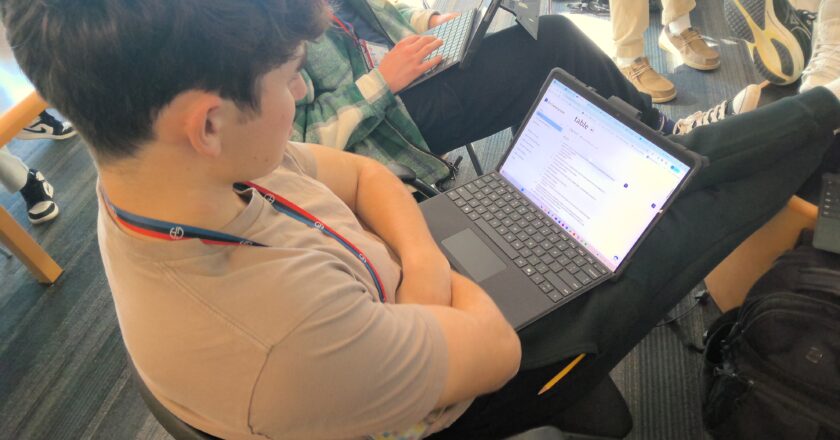


The laptops provided by GA allow its students to access the endless possibilities of the Internet. Some apps or websites are required for school, like Google Chrome and Canvas, and some are restricted by the recent addition of Company Portal. Nonetheless, students have access to a variety of different sites that they use for planning, studying, art and entertainment.
In the 2025-2026 school year, the Company Portal was introduced as the new method for students to download apps, limiting the apps students could download on their school computers. These changes caused confusion and dislike amongst some in the student body.
“I don’t really like it; I don’t understand how it works,” Jadyn Shu ‘29 said. “I feel like it’s kinda dumb and that we should be allowed to download other apps than the ones that they have.”
Although its goal was to protect GA from malware and have a positive impact, Company Portal instead was met with resentment from some students who felt it was limiting their technological freedom.
However, students still have a lot of apps available to help them with schoolwork. The major apps used include Outlook, Excel, OneNote and Google Chrome, all of which are already downloaded on the computers. These apps allow students to contact teachers, organize spreadsheets, and easily access their work; many teachers find OneNote an especially helpful tool to assign online work.
“Usually our work for Physics and Math are in OneNote, and I like it because of the annotation tools and sync,” Emma Esidenberg ‘29 said.
Google Chrome provides many websites that are absolutely essential for students at GA. For example, almost all work and grades are posted on Canvas. Canvas provides a platform for students to connect with teachers and stay organized. Because of this shared system, Canvas proves a useful tool for students to manage and view their workload.
“It’s easy for teachers to put everything in, so that it’s really easy to know when you have work due,” Abhay Kumaran ‘27 said. “It helps, basically, create a calendar for yourself.”
Additionally, there are numerous websites that support students with studying and schoolwork by helping them review efficiently and get extra help. For example, Quizlet is a popular choice.
“I use Quizlet to make flashcards, especially for English and sometimes for Physics if we need to remember terms,” Eisenberg said.
Many times, these new websites are introduced through other students in the community.
“My friend made a Quizlet for me, and then I found out how it’s actually really helpful, and then I just started making my own Quizlets,” Eisenberg said.
Other websites are also used by certain members of the community. For example, students leading clubs or activities, websites like SignUpGenius allow them to organize and view volunteer availability. One program, called Kids Teaching Kids (KTK), led by Kumaran, utilizes such websites.
“For KTK, I use SignUpGenius to organize every single date for the year,” Kumaran said.
Although lesser known, and not required, websites like Magma Art are used among student artists, providing a digital art media, which also includes a collaboration space.
“A lot of my friends like to draw, so it’s really nice when we can all work together on drawings,” Shu said.
Such websites provide a space that allows friends who share similar interests to spend time together.
All these apps and websites provide many platforms for students to interact with each other, manage their schedules, and stay connected with their academic work and personal interests.