
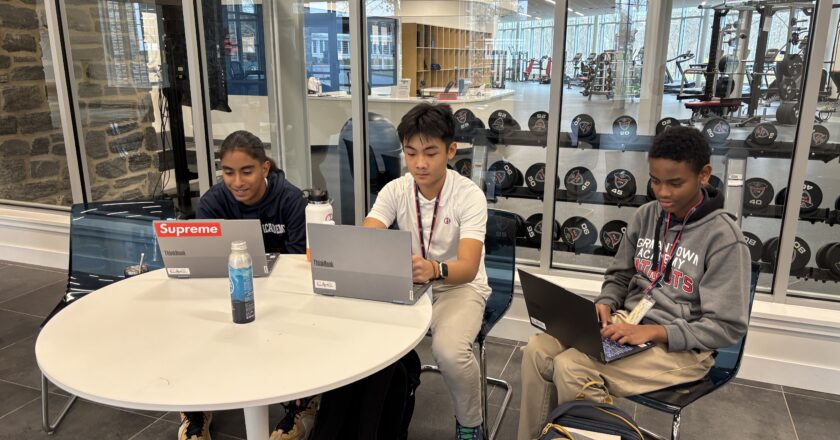


After years of students using the Microsoft Surface Pros, the Germantown Academy tech office has decided to make the switch to new student devices. The start of the 2025-26 school year at GA introduced new technology upgrades for the Class of 2029 and the Class of 2032. The two grades received new Lenovo ThinkBooks as their devices. The Lenovos replaced the outdated Surface Pro models 9s and 10s being used by all other grades in the school.
This decision to make the switch was made because of numerous problems the tech office started to encounter, with many students coming in with the same hardware failures. GA has been utilizing the Surface Pro models for about seven years, but only recently have started noticing problems with the Surface Pro 9s and 10s. The main issue encountered by students was the connection between the detachable keyboards (type covers), and the main computer.
“A little over a year ago, we started having a lot of hardware failures with [the 9th Generation Surface Pros] consistently, where the type covers just stopped working completely, [yet the issue] wasn’t the type cover itself, it was the computer stopped recognizing any type cover that was connected to it,” Mr. Bruce Payne, Systems Administrator and Hardware Manager, said. “We were sending a lot of those Surface Pro 9s in for repair, and it was costing the school a lot of money.”
New devices are leased for three years for every 6th grader and for four years for 9th graders in order to keep their devices throughout their time until their respective graduations. The tech office regularly sends surveys to faculty and staff for feedback about device performance and needs. Cost and affordability are the most important factors, especially when purchasing many articles of a product.
“We reached out to other schools who also had 1:1 device programs to better understand the pros and cons of the specific devices they deployed to students, faculty, and staff. We were given a try-and-buy option, from one of our established vendors, where we can order a computer, test it out for 30 days, and send it back at no cost. We looked at reviews and ordered about four or five different computer models,” Mr. Payne said. “We gave them out to a couple of faculty members to test for a few weeks. Based on our surveys that we had faculty, staff and administration fill out after testing, we knew we needed something that was touchscreen and something that integrated well with OneNote. The feedback during the week or two that they had helped us decide on what we thought would be the appropriate device to purchase.”
Students have mixed opinions about the new devices that they were given. Some appreciate the decrease in computer errors, such as crashes during use, but miss certain aspects of the old Surface Pros. For example, students would like back the portability and small size of the Surface Pros in contrast to the bulkiness of the new Lenovo ThinkBook.
“It doesn’t have a case, and on the first day I didn’t use mine, and then my computer dented and broke. I have to use the given laptop bag, and the bag is really big and annoying,” Alicia Shen ‘29 said. “The stylus pen doesn’t attach anymore, like how the Surface Pros had a section to put your stylus in. It’s easy to lose your stylus, so people have started putting it in their pencil cases.”
The new Lenovo ThinkBooks have pros and cons, like the Surface Pros. The Tech Office chose the ThinkBooks with careful consideration of cost and feedback, but students still face some challenges with them.
“My old computer crashed a lot during class. It was annoying and disruptive,” Damian Chang ‘29 said. “The new [Thinkbooks] are helpful for the crashes, but it’s hard to fit the whole computer kit in my bag sometimes.”
While inconvenience is a challenge that could impact student opinions on the new computer models, the change has brought clear effects and benefits to affected students.